US$129.99 paid once. Periodic online license checks apply to Pro.
One Mac app, with Free and Pro built in. Paid plans open Stripe checkout directly. Prices in US dollars. Purchase terms · 14-day refund policy.
On Mac, if a Pro license expires, your sites and Free tools keep running. Managed services stop gracefully, and database files and project settings stay on disk.
macOS 14 or later · Apple silicon (M1 or later)
Already have Pro? Get the app and enter your license key in the app.
Managed services and databases, local mail, Xdebug, insights, Tinker, and the MCP server for your coding agent. On two personal computers.
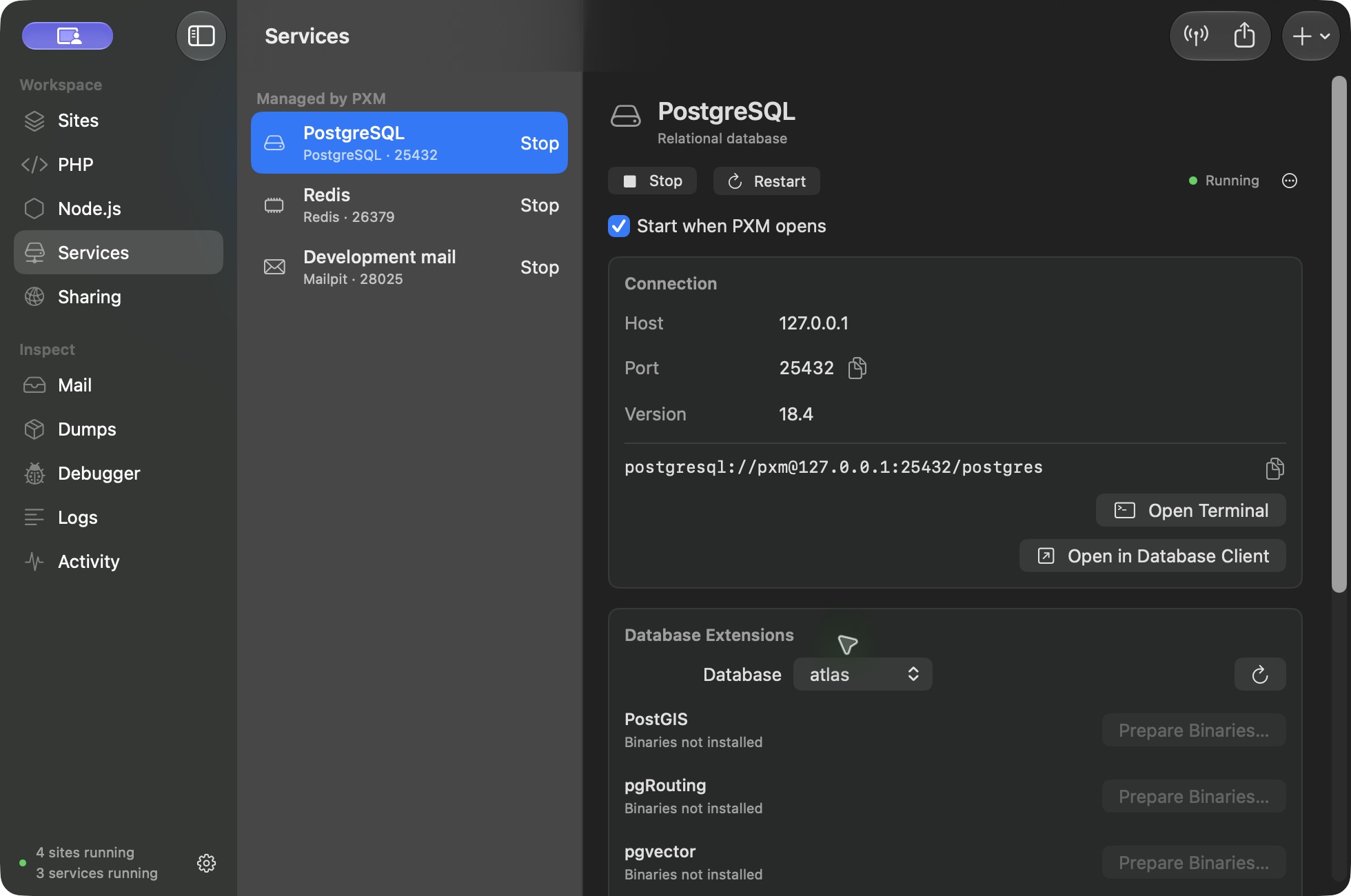
Twelve engines, one panel.
Host, port, version, connection string, and the buttons to open Terminal or your database client.
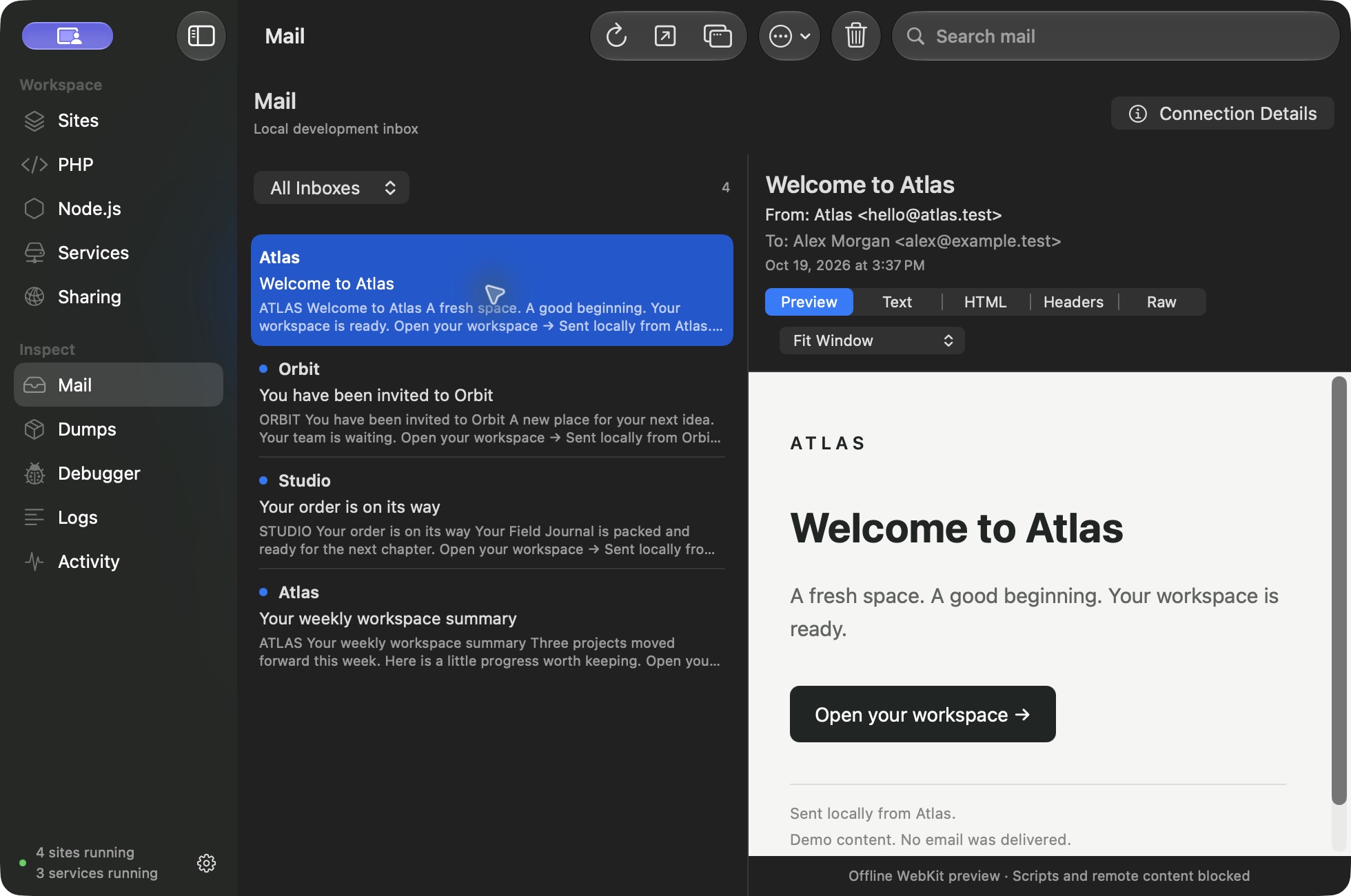
Mail you can actually read.
Every message your sites send, caught locally, with an HTML preview plus Text, Headers, and Raw views.
MySQL
8.4, 8.0
MariaDB
11.8, 11.4, 10.11
PostgreSQL
18, 17, 16, 15, 14 · PostGIS, pgRouting, pgvector
MongoDB
8.0, 7.0
Redis
8.2, 6.2
Valkey
Default
Memcached
Default
Meilisearch
Default
Typesense
30.2, 29.0
Mailpit
Default
MinIO
Default
RustFS
Apple silicon only
On Mac, if a Pro license expires, sites and Free tools keep running. Managed Pro services stop gracefully; database files and project settings remain on disk.
Before you choose
Three quick answers.
Do I need an account for Free?
No. PXM Free needs no account, license key, or credit card.
What does two personal computers mean?
A Pro license activates on up to two computers you use personally. Computers are managed from your account.
What happens if my Pro license expires?
On Mac, your sites and every Free tool keep running. Managed Pro services stop gracefully, and your database files and project settings remain on disk. Renew to manage services again.
Start building. Upgrade from inside the app.
Free has no time limit. When you want managed services, Mail, Xdebug, Tinker, or the MCP server, enter a Pro key in the app and the extra tools switch on. Same app, same projects.