PXM brings local sites, runtimes, and services into one native macOS workspace. Start with the signed Mac installer. Free needs no account or license. A Pro key unlocks the full toolkit.
Install and start free.
Choose Free on the download page, open the disk image, and move PXM to Applications. Open it and start building. No account or license key is needed. Already have Pro? Enter the key from your PXM account and the extra tools switch on. PXM runs on macOS 14 or later as an Apple silicon app for M1 or later.
Add a project.
In Sites, link an existing project folder, or create a new Laravel or static site. PXM recognizes the framework from the folder layout and sets the document root for you. Change it if your project is unusual. Creating a WordPress site provisions its own MySQL instance and needs Pro. You can link an existing WordPress project in Free and point it at a database managed outside PXM.
You can also park a folder. PXM discovers the projects directly inside it and can start them automatically. Turn that off if you prefer to start sites yourself. Mark the sites you visit most as favorites, or sort them into groups.
pxm site add "$HOME/Projects/shop" --name shop
Choose its runtime.
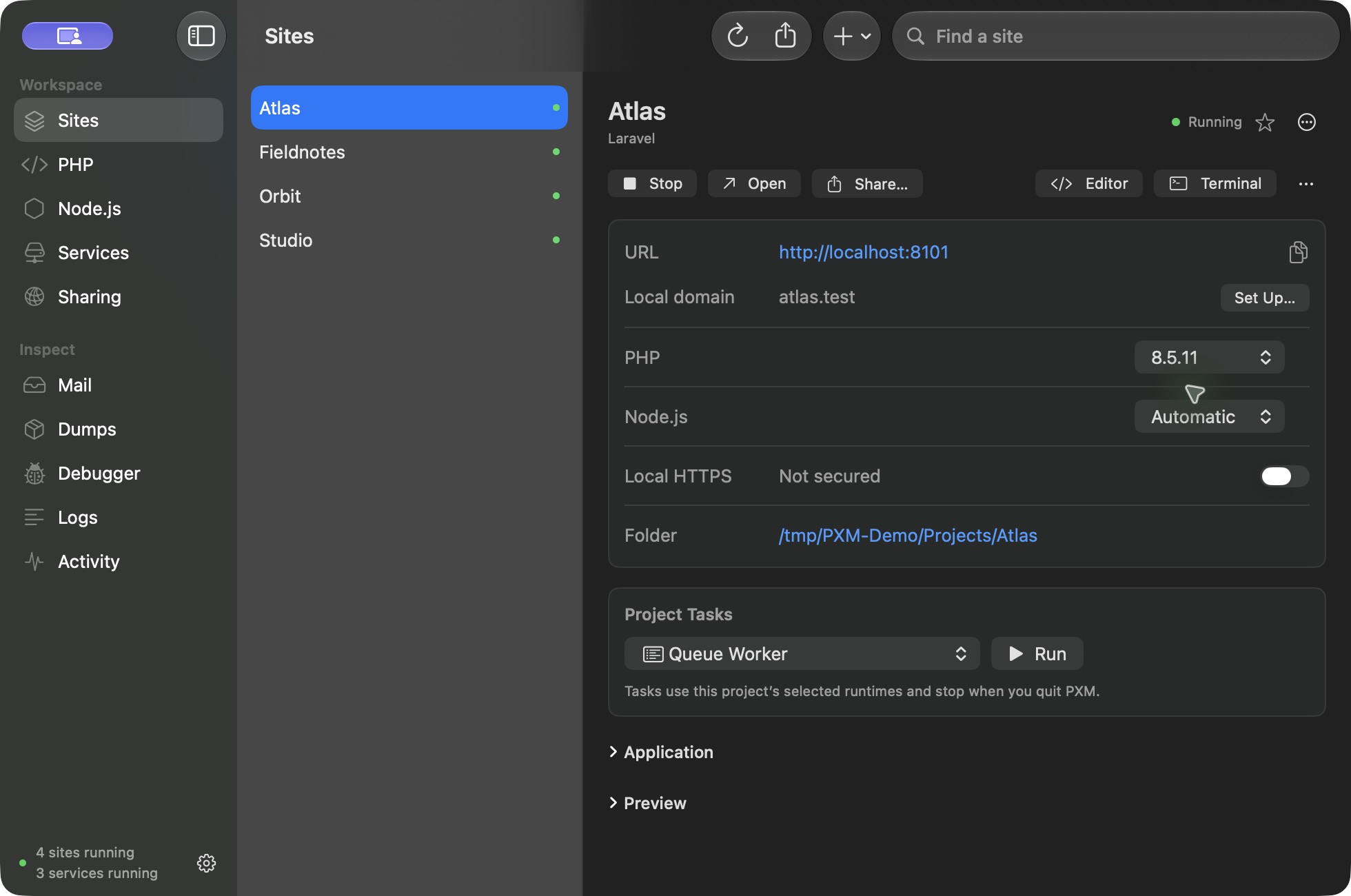
Install a PHP or Node version from the PHP or Node.js screen. Set a workspace default, then pin any site that needs a different version. A project's own .nvmrc or .node-version file is honored. An explicit pin always wins over the default. Each PHP site runs in its own PHP-FPM pool; choose between 2 and 32 workers in the site's settings.
pxm site php shop 8.4
pxm site node shop 24
Give it a local address.
Turn on PXM's local routing helper to use .test addresses. macOS asks you to approve the helper the first time. If another development app owns the local HTTP or DNS ports, PXM shows the conflict. Stop that app's routing services before switching.
Turn on HTTPS for the site and approve the local certificate authority when macOS asks. Certificates come from mkcert and are served by Caddy. The trust applies to local development on this Mac only. Add up to 50 aliases when a project answers to more than one name.
Open your site.
Select the site and choose Open. Use Editor to open the project in your editor, or Terminal to open it in Terminal, iTerm2, Ghostty, or Warp. If a framework needs dependencies, environment variables, or migrations, run them first. The site's Project Tasks panel can run composer install, npm install, a queue worker, the scheduler, Reverb, and a frontend dev server.
Set up your terminal.
Choose Set Up Terminal in the app to add pxm and its shims to zsh, bash, or fish. After that, php, node, npm, and composer follow the project you are in, and pxm which php shows which PHP a project gets and why. Read the command reference.